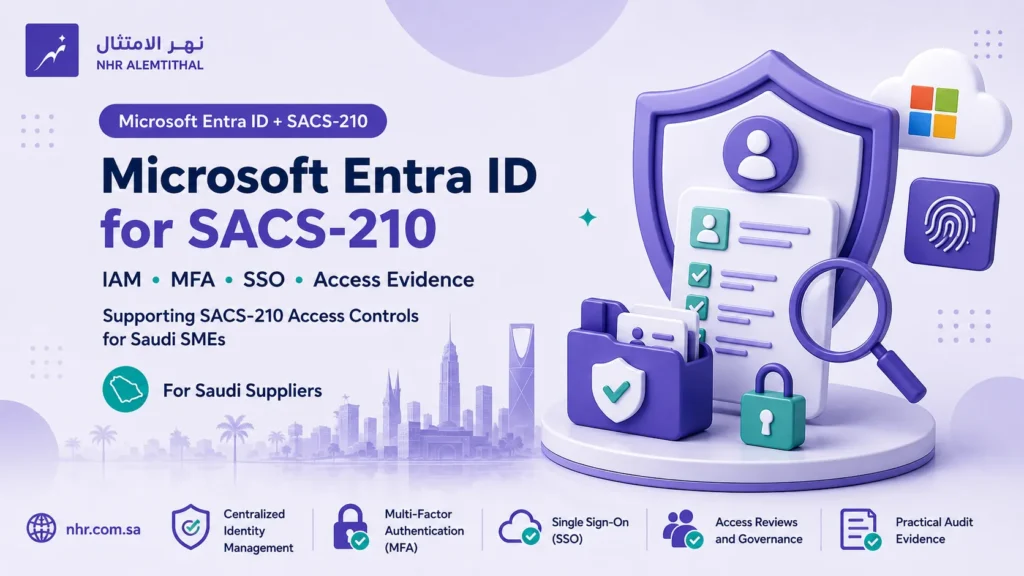
Microsoft Entra ID can help Saudi suppliers implement several of the identity and access-control requirements in SACS-210, particularly centralized identity management, unique user accounts, MFA, Single Sign-On and access evidence.
But Entra ID is not a shortcut to SACS-210 compliance.
The standard defines security requirements. Microsoft Entra provides technical capabilities that can support some of those requirements when they are correctly licensed, configured and operated.
If you first need the vendor-neutral requirements themselves, start with our SACS-210 Access Control guide.
Quick Answer: What Entra ID Can and Cannot Do for SACS-210
For a small Saudi supplier, Microsoft Entra ID can provide a strong foundation for:
- centralized user identities;
- unique user accounts;
- MFA enforcement;
- Conditional Access;
- SSO to integrated applications;
- role and group management;
- sign-in and audit evidence; and
- technical account deprovisioning.
However, Entra ID does not by itself cover every requirement around access management.
The organization still needs business approvals, policies, HR onboarding and offboarding processes, annual access-review evidence, notification of externally managed proponent credentials, and secure authentication for technology assets that are not integrated with Entra.
The correct model is:
SACS-210 Requirement → Entra Capability → Limitation → Evidence
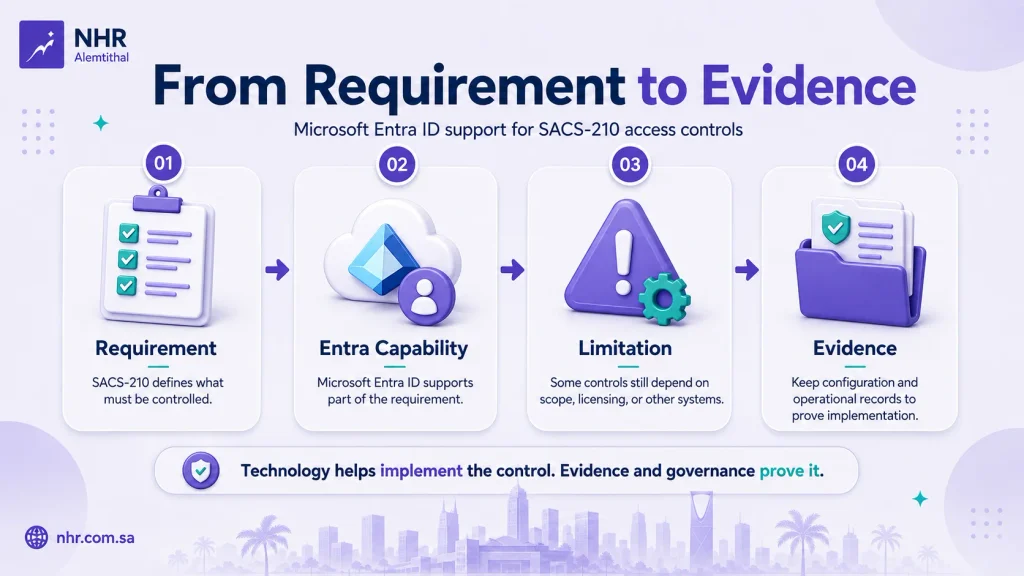
SACS-210 to Microsoft Entra ID Mapping
| SACS-210 | Entra ID Support | Key Limitation |
|---|---|---|
| TPC1.9 Centralized IAM | Users, groups, roles and Enterprise Apps | Only covers systems and apps actually managed or integrated with Entra |
| TPC1.10 Unique credentials | Individual Entra user identities | Shared and unmanaged accounts still need governance |
| TPC1.11 Password/authentication rules | Cloud password policy, Password Protection and MFA | Entra cloud password rules do not exactly reproduce SACS-210’s 8–64 and composition rules |
| TPC1.12 MFA | Conditional Access and Entra MFA | Policies must cover all five applicable SACS-210 scenarios |
| TPC1.13 SSO + MFA | Enterprise Apps + SSO + Conditional Access | Applications must actually be integrated and MFA enforced at authentication |
| TPC1.14 Annual access review | Manual exports; Access Reviews with appropriate higher licensing | P1 alone does not provide automated Access Reviews |
| TPC1.15 Asset authentication | Entra authentication for integrated applications and assets | Does not automatically cover firewalls, routers or every local technology asset |
| TPC1.4 Offboarding | Disable account, remove assignments, revoke sessions | HR and documented offboarding remain separate processes |
| TPC1.33 Proponent credentials | Internal deprovisioning evidence | Entra cannot replace required notification to the proponent |
This is why Microsoft Entra should be treated as an implementation platform, not as the definition of the SACS-210 controls.
TPC1.9–TPC1.10: Centralized Identity and Unique Users
TPC1.9 requires user authorizations to systems and applications to be managed through a centralized corporate IAM solution.
Microsoft Entra ID can support this through centralized users, groups, directory roles and Enterprise Applications.
For a small organization, a practical structure is:
User → Group or Role → Application/Resource → Approved Access
This is stronger than administering separate user accounts independently in every SaaS platform.
TPC1.10 also requires unique authentication credentials. Individual Entra accounts support that objective well, provided employees are not bypassing the model through shared interactive accounts or unmanaged credentials.
The business approval itself should still be documented outside or alongside Entra. An Entra group membership shows what access exists; it may not prove why access was approved.
TPC1.11: The Microsoft Entra Password Policy Limitation
This is an important limitation that suppliers should understand.
SACS-210 TPC1.11 specifies passwords or passphrases between 8 and 64 characters and lists lowercase, uppercase, numbers and special characters among its password-management rules.
Microsoft’s current cloud password policy is different.
For passwords created or changed directly in Microsoft Entra ID, Microsoft documents a minimum of 8 characters and a maximum of 256 characters. It also applies its own complexity model rather than allowing administrators to configure an exact SACS-210-style 8–64 policy.
Therefore, do not claim:
“Microsoft Entra ID P1 enforces the exact SACS-210 password policy.”
It does not.
In hybrid environments, an on-premises password policy can affect synchronized identities, and Microsoft documents circumstances where the on-premises policy takes precedence for length and complexity.
For cloud-only environments, the correct approach is to document the platform configuration and limitation accurately rather than creating evidence that implies an exact technical match that does not exist.
TPC1.12–TPC1.13: Conditional Access, MFA and SSO
This is where Microsoft Entra ID P1 becomes particularly useful.
SACS-210 TPC1.12 requires MFA for:
- remote access, including Internet access;
- cloud services;
- company email through web or mobile devices;
- Internet-facing applications; and
- privileged accounts.
Conditional Access allows an organization to create policies that target users, applications and authentication conditions and require MFA. Microsoft states that Conditional Access requires at least Microsoft Entra ID P1; Microsoft 365 Business Premium includes access to Conditional Access.
The key point is scope.
A supplier should not build one administrator-only MFA policy and consider TPC1.12 complete. Policies should be reviewed against all five applicable SACS-210 scenarios.
TPC1.13 permits SSO when MFA is applied on initial login. Microsoft Entra can act as the identity provider for integrated Enterprise Applications and supports several SSO approaches, including SAML and OpenID Connect.
A useful implementation pattern is therefore:
Entra identity → MFA → SSO → assigned application
with evidence showing both the SSO configuration and the authentication controls applied to the relevant users.
Security Defaults vs Entra ID P1
Security Defaults and Conditional Access should not be treated as the same thing.
Microsoft Security Defaults provide a useful baseline and are available without an Entra ID P1 license. However, Microsoft describes Security Defaults as essentially an on/off baseline without the customization available in Conditional Access.
| Capability | Security Defaults | Entra ID P1 |
|---|---|---|
| Basic MFA security baseline | Yes | Yes |
| Custom Conditional Access policies | No | Yes |
| Application/user targeting | Limited baseline | Granular |
| Suitable for explicit SACS-210 MFA mapping | Limited visibility/control | Much stronger |
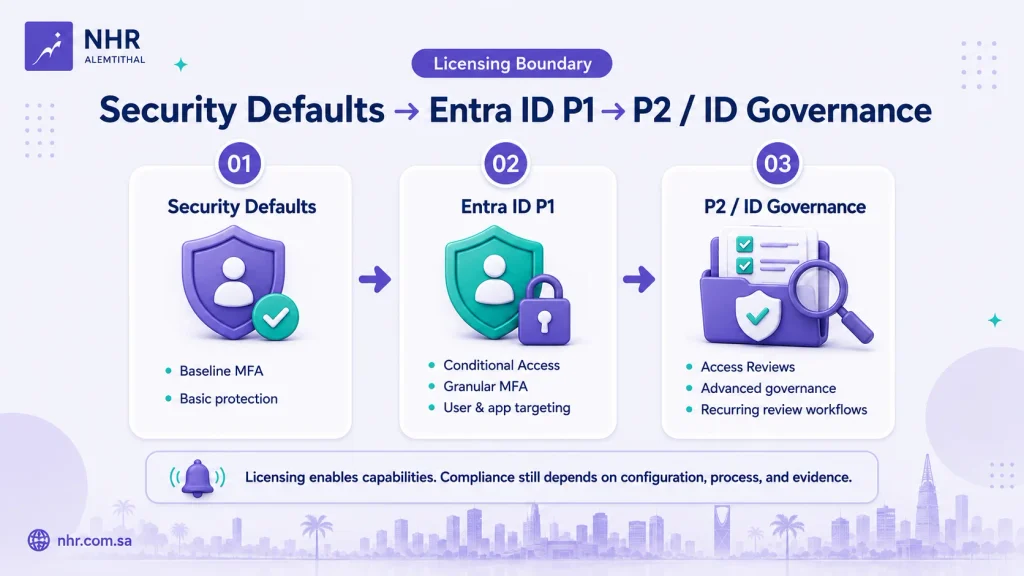
This does not mean Security Defaults are inherently “non-compliant.”
It means Conditional Access gives the organization much better control over how MFA enforcement is mapped to the specific TPC1.12 scenarios and much clearer configuration evidence.
For Saudi SMEs standardizing on Microsoft 365, Microsoft 365 Business Premium includes Microsoft Entra ID P1, including Conditional Access capability.
NHR Alemtithal is a Microsoft CSP Partner, and organizations that decide Business Premium is appropriate for their environment can purchase Microsoft 365 Business Premium from the NHR store.
Licensing enables capabilities; it does not by itself establish SACS-210 compliance.
TPC1.14: Annual Access Reviews and Licensing
TPC1.14 requires user accounts and access rights to be reviewed at least annually.
You do not need Microsoft’s automated Access Reviews feature simply to perform the SACS-210 review.
An organization using Entra ID P1 can export or review:
- active users;
- group memberships;
- application assignments; and
- privileged roles,
then perform a documented business review and retain the findings, approvals and remediation records.
If the organization wants Microsoft Entra to automate recurring access reviews, licensing changes.
Microsoft’s current documentation places Access Reviews within Microsoft Entra ID Governance, while some access-review scenarios can also operate with Microsoft Entra ID P2. P1 alone should therefore not be presented as including automated Access Reviews.
For a small supplier, a well-controlled manual annual review can be perfectly practical if it produces reliable evidence.
TPC1.15: What Microsoft Entra Does Not Cover
TPC1.15 requires secure authentication for all Third Party technology assets.
Microsoft Entra can help where an application, workstation or service is integrated into the Microsoft identity environment.
But the requirement may also cover technology such as:
- network firewalls;
- routers and switches;
- locally administered appliances;
- security platforms; and
- applications that do not authenticate through Entra.
The supplied CCC assessment template itself includes examples such as workstations, Active Directory, on-premises security solutions, network firewalls and network devices when requesting evidence for TPC1.15.
Therefore:
Entra ID can support TPC1.15, but it cannot be treated as proof that every technology asset is securely authenticated.
The supplier still needs an asset-level review.
A Practical Entra ID P1 Baseline for a Small Supplier
For a smaller Microsoft-based environment, a useful implementation baseline is:
- Maintain unique Entra identities for employees and contractors.
- Review unnecessary shared and default interactive accounts.
- Manage access through controlled groups, roles and Enterprise Application assignments.
- Build Conditional Access policies covering all applicable TPC1.12 MFA scenarios.
- Ensure privileged identities are protected by MFA.
- Integrate suitable business applications with Entra SSO.
- Connect HR/offboarding events to account disablement, assignment removal and session revocation.
- Perform an annual access review, manually if the organization does not license Entra ID Governance or the required higher-tier capability.
Microsoft documents methods for disabling user access and revoking sessions, but these technical actions should be part of a broader documented offboarding process.
For a broader implementation checklist beyond Entra, use the SACS-210 Technical Implementation Checklist.
What Evidence Can Microsoft Entra Produce?
Useful Entra evidence may include:
| Area | Practical Evidence |
|---|---|
| Identity | User and group records |
| Authorization | Group, role and application assignments |
| MFA | Conditional Access policy configuration |
| Authentication | Sign-in records and authentication results |
| SSO | Enterprise Application and SSO configuration |
| Administration | Audit logs showing user, group or role changes |
| Offboarding | Account disablement and assignment/session-removal records |
| Access review | Exported review records or native Access Review results where licensed |
Microsoft Entra provides sign-in logs for authentication activity and audit logs for changes made to users, groups, applications and other directory resources.
However:
Screenshot ≠ complete compliance evidence.
The assessment model may also require policy, approval, review and remediation evidence. For broader preparation, see the Aramco CCC Audit Readiness Guide.
What Still Must Be Done Outside Microsoft Entra ID?
Several important activities remain outside the identity platform:
Policies and procedures: SACS-210 requires documented governance, not only technical settings.
Business access approvals: Entra can show assignments, but management should be able to demonstrate why access was granted.
HR onboarding and offboarding: Account actions should be linked to formal personnel processes.
TPC1.33 notification: Disabling an internal Entra account does not notify the proponent that externally issued credentials are no longer required.
Non-Entra technology assets: Firewalls, network appliances and other systems may require their own authentication controls.
Annual management review: A user export becomes stronger evidence when responsible managers or asset owners review it and corrective actions are recorded.
This distinction is what prevents a Microsoft deployment from becoming a misleading “compliance checkbox.”
Common Microsoft Entra to SACS-210 Mapping Mistakes
Avoid these five common claims:
- “Entra ID P1 enforces the exact SACS-210 8–64 password policy.” It does not.
- “Users are enrolled in MFA, so TPC1.12 is complete.” Enforcement and scope must be verified.
- “We protect VPN, cloud and admins, so MFA scope is complete.” TPC1.12 also includes web/mobile email and Internet-facing applications.
- “P1 includes automated Access Reviews.” It does not.
- “Disabling the Entra account handles all offboarding.” External and proponent-managed credentials may require separate action.
Need Microsoft and SACS-210 Implementation Support?
Organizations that need help translating the SACS-210 requirements into policies, configurations and evidence can review our Aramco CCC Compliance Kit service.
For organizations that need guided technical remediation and implementation across the environment, see our Aramco Cybersecurity Compliance Certificate implementation service.
NHR Alemtithal provides implementation and cybersecurity support. Formal CCC assessment and certification remain the responsibility of an authorized audit firm.
Conclusion
Microsoft Entra ID can be a strong platform for implementing SACS-210 identity and access controls—especially centralized identities, MFA, Conditional Access and SSO.
But the correct question is not:
“Does Entra ID make us SACS-210 compliant?”
It is:
“Which SACS-210 requirements can Entra implement, what are the platform and licensing limitations, and what additional processes and evidence do we still need?”
For many Saudi SMEs, Entra ID P1 or Microsoft 365 Business Premium can provide a practical technical foundation.
The remaining work is to configure it correctly, connect it to business processes, cover systems outside Entra, and retain evidence that demonstrates the controls in operation.
Official Microsoft References
- Microsoft Entra Conditional Access overview
- Security Defaults in Microsoft Entra ID
- Microsoft Entra password policy and Password Protection
- Microsoft Entra Access Reviews overview
- Manage user access with Access Reviews
- Microsoft Entra ID Governance licensing fundamentals
- Single Sign-On in Microsoft Entra ID
- Enable SAML SSO for an Enterprise Application
- Revoke user access in Microsoft Entra ID
- Microsoft Entra sign-in logs
- Microsoft Entra audit logs
- Microsoft 365 Business Premium security overview
- Microsoft 365 Business Premium security FAQ — Entra ID P1
Need help with Aramco CCC Certification?
Get a Free Expert Consultation.