Access control under SACS-210 is more than passwords or MFA. It is the process used to identify users, authenticate them, control what they can access, review permissions, remove access when it is no longer needed, and retain evidence that these controls are operating.
For a small Saudi supplier, the objective is not to build a complex enterprise Identity and Access Management (IAM) program. The goal is to establish a centralized, controlled and demonstrable access-management process that meets the applicable SACS-210 requirements.
The core General Requirements for Identity Management, Authentication, and Access Control are TPC1.9 through TPC1.15.
Related General Requirements also cover access-management policy, employee onboarding and offboarding, access to proponent data, logging, and removal of proponent credentials, including TPC1.3, TPC1.4, TPC1.7, TPC1.31 and TPC1.33. For the broader governance, ownership and evidence model, see our SACS-210 GRC General Requirements guide.
Quick Answer: SACS-210 Access Control in Plain English
A practical SACS-210 access-control model is:
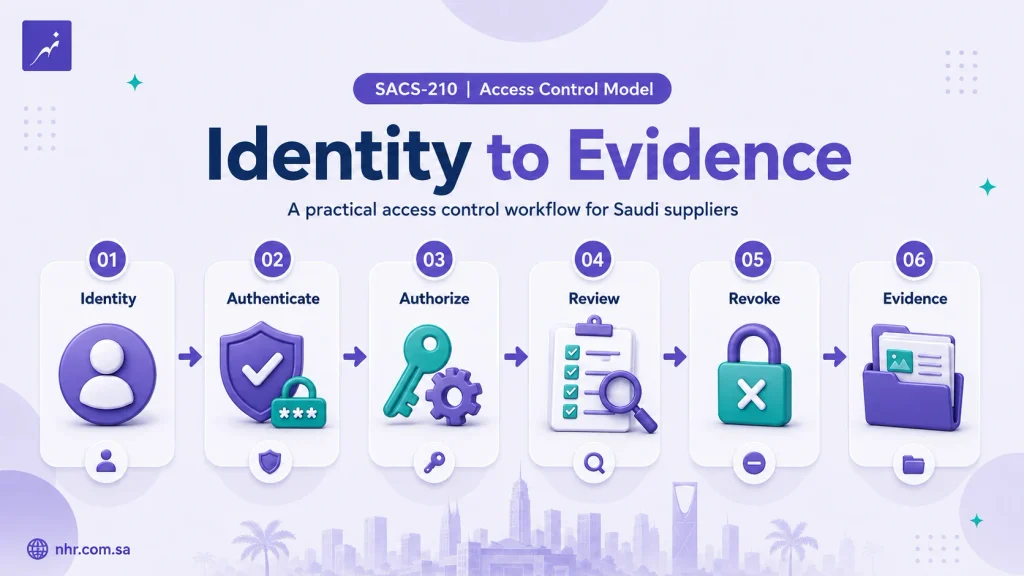
Identity → Authenticate → Authorize → Review → Revoke → Evidence
A supplier should be able to answer six basic questions:
- Who is the user?
- How is the user authenticated?
- What are they allowed to access?
- Who approved that access?
- What happens when their role changes or they leave?
- Can the organization demonstrate that the controls are actually working?
SACS-210 does not mandate one commercial IAM product.
A centralized directory may form part of the solution, but user authorizations to systems and applications must be managed through a centralized corporate IAM capability.
The technology can vary. What matters is whether access is centrally controlled, securely authenticated, appropriately restricted and supported by evidence.
SACS-210 Access Control Requirements
The primary controls are:
| Control | Requirement |
|---|---|
| TPC1.9 | Centralized IAM and authorization based on identity, need-to-know, need-to-use, least privilege and segregation of duties |
| TPC1.10 | Unique authentication credentials for users |
| TPC1.11 | Password and authentication-code requirements |
| TPC1.12 | MFA for specified access scenarios |
| TPC1.13 | SSO may be used when MFA is applied at initial login |
| TPC1.14 | Review user accounts and access rights at least annually |
| TPC1.15 | Technology assets must use secure authentication mechanisms |
These controls form the core of SACS-210 identity and access management. You can also download the current SACS-210 Third-Party Cybersecurity Standard to review the complete General and Specific Requirements.
Centralized IAM and Least Privilege — TPC1.9
TPC1.9 requires user authorizations to information technology systems and applications to be managed through a centralized corporate identity and access management solution.
Authorization must be based on:
- identity;
- need-to-know;
- need-to-use;
- least privilege; and
- segregation of duties.
This means access should be granted because a person needs it to perform a defined business responsibility—not simply because access is convenient.
A practical access process can follow:
User → Required Resource → Business Reason → Required Role → Approval → Provisioning
For a small organization, the request and approval layer does not need a complex Identity Governance platform.
An approved form, service ticket or documented workflow can support the request, approval and evidence process.
However, that workflow does not replace the IAM control itself. Actual user authorizations to systems and applications should still be centrally managed through the organization’s IAM solution.
Least privilege should also be applied in practical terms. Standard users should not receive administrative privileges unless those privileges are genuinely required for their role.
Where responsibilities could conflict, the organization should consider segregation of duties so that one person does not unnecessarily control incompatible stages of an important business or technical process.
Unique Credentials and Password Requirements — TPC1.10 and TPC1.11
TPC1.10 requires user authentication to be based on unique authentication credentials.
Employees and contractors should therefore normally have individually identifiable accounts rather than sharing the same interactive login.
Unique accounts improve accountability because security events, access changes and user activities can be associated with a specific identity.
The organization should also appropriately manage unnecessary default or shared human accounts.
Technical or service identities should be treated according to their actual purpose and risk rather than being confused with multiple employees sharing one normal user account.
TPC1.11 defines password and authentication-code management requirements, where feasible, including:
- passwords or passphrases between 8 and 64 characters;
- lowercase characters;
- uppercase characters;
- digits;
- special characters;
- use of MFA; and
- no password hints.
The organization’s written password and authentication rules should match the technical configuration actually enforced by its systems.
For example, a policy saying that strong passwords are required does not demonstrate implementation if the identity system permits weaker settings.
One important point is that TPC1.11 does not specify a fixed 30-, 60- or 90-day password rotation period. An organization may implement additional password controls based on its own requirements, but it should not describe a self-selected rotation interval as an explicit SACS-210 General Requirement.
The phrase “where feasible” in TPC1.11 should also not be interpreted as overriding TPC1.12. TPC1.12 separately and explicitly requires MFA across the five access scenarios described below.
MFA and SSO — TPC1.12 and TPC1.13
TPC1.12 requires MFA to be enforced for:
- Remote access, including access from the Internet.
- Access to cloud services.
- Access to company email through web or mobile devices.
- Access to Internet-facing applications.
- Users with privileged accounts.
For a supplier, the practical task is therefore not simply to ask:
“Do we have MFA?”
The better question is:
“Is MFA enforced across every applicable TPC1.12 access scenario?”
| Scenario | What to Verify |
| Remote access | VPN or another approved remote-access method requires MFA |
| Cloud services | Applicable cloud-service access requires MFA |
| Web and mobile access to company email is protected by MFA | |
| Internet-facing applications | User access requires MFA |
| Privileged accounts | Administrator and other privileged identities require MFA |
Another important distinction is between MFA enrollment and MFA enforcement.
A user may have registered an authenticator, phone or security token while still being able to access some systems without being challenged for a second factor.
Evidence should therefore demonstrate that MFA is actually enforced in the required scenarios.
TPC1.13 permits Single Sign-On (SSO), but SSO must be coupled with MFA upon initial login to the system.
SSO can simplify authentication and centralize access, but it does not replace MFA.
Annual Access Review and Asset Authentication — TPC1.14 and TPC1.15
TPC1.14 requires the Third Party to review user accounts and access rights at least annually.
The purpose is to identify access that is no longer appropriate.
A useful review should look for issues such as:
- inactive or unnecessary accounts;
- access belonging to former employees;
- unnecessary privileged roles;
- excessive permissions;
- inappropriate group memberships; and
- access that no longer matches a user’s responsibilities.
The review should also result in corrective action where necessary.
For example:
Finding: A user retains administrator access after moving to another role.
Action: Remove the unnecessary privilege.
Evidence: Completed access review and updated access configuration.
The mapping distinction is important:
TPC1.14 = review of user accounts and access rights.
TPC1.15 is a different requirement.
It requires all Third Party technology assets to be authenticated using secure authentication mechanisms.
Depending on the supplier’s environment, relevant technology assets may include workstations, servers, applications, network devices, security appliances and administrative interfaces.
The specific authentication mechanism can differ by technology, but the objective is the same: relevant assets and management interfaces should not be accessible without appropriate authentication.
Access Control Across the Employee Lifecycle
Access management should follow the user’s lifecycle instead of being treated as a one-time account-creation activity.
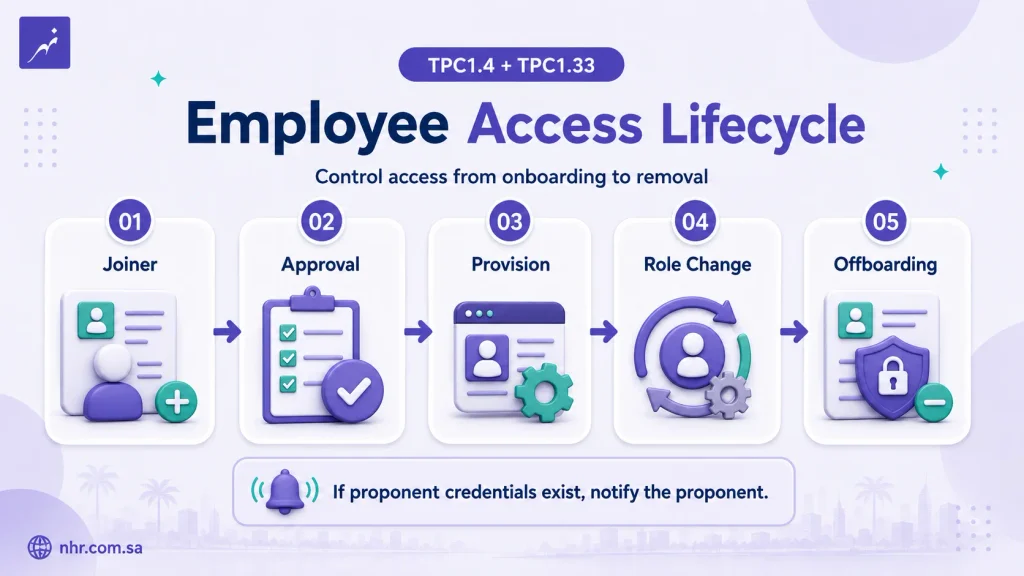
A practical model is:
Join → Approve → Provision → Change → Review → Leave → Revoke
This section focuses specifically on the access-management aspects of TPC1.4. The full control also includes broader onboarding and offboarding activities such as background checks and return of assets.
Onboarding
When a new employee or contractor joins the organization, access should be based on a documented business need.
A practical workflow can include:
- confirming the user and role;
- identifying required systems;
- obtaining appropriate approval;
- creating a unique identity;
- assigning the correct roles or groups;
- enabling MFA where required; and
- retaining the provisioning record.
The objective is to prevent ad-hoc access from becoming the normal method of account administration.
Role Changes
Access should also be reviewed when a person changes department, project or responsibilities.
Instead of simply adding new permissions, the organization should ask:
- Is the old access still required?
- Does the new role require additional privileges?
- Should previous group memberships be removed?
- Does the change introduce a segregation-of-duties issue?
- Does the user now have privileged access?
This helps reduce access creep, where permissions accumulate over time.
Offboarding
TPC1.4 includes removal of access rights as part of the formal offboarding process.
Relevant access may include:
- the corporate identity account;
- company email;
- cloud services;
- VPN or remote access;
- business applications;
- shared folders; and
- privileged accounts.
The exact process can vary, but access revocation should be a documented activity rather than an assumption that someone in IT will remember to disable the account.
Proponent Credentials — TPC1.33
TPC1.33 applies when employees have been provided with proponent user credentials.
The Third Party must notify the proponent when those credentials are no longer required, including when the employee is transferred, reassigned, retired or no longer associated with the Third Party.
This can require two separate actions:
Internal access removal
and
Proponent credential notification
Disabling an employee’s internal company account does not necessarily remove an externally managed proponent identity.
The offboarding or reassignment process should therefore identify whether the user has any external proponent credentials requiring notification.
Restricting Access to Proponent Data — TPC1.7
TPC1.7 requires proponent data to be shared only with individuals who are part of the work specified in the contract.
This is an important authorization principle.
A person may legitimately work for the supplier while having no business reason to access a particular proponent project, system or document repository.
A practical implementation can include:
- identifying personnel assigned to the contracted work;
- limiting folders and applications to those personnel;
- using roles or security groups where appropriate; and
- updating access when project participation changes.
The difference is simple:
Authentication: Who are you?
Authorization: Should you have access to this resource?
An effective access-control environment needs both.
A Practical Access Control Model for a Small Saudi Supplier
For many small organizations, SACS-210 access control can be implemented around seven practical controls.
1. Use a centralized corporate IAM capability
Maintain controlled identities and manage system and application authorizations centrally.
2. Give each human user a unique identity
Employees and contractors should normally be individually identifiable.
3. Document access approval
Record what access is required, why it is required and who approved it.
4. Apply least privilege
Do not grant administrator or other elevated access unless there is a valid business and technical need.
5. Enforce MFA across all applicable TPC1.12 scenarios
Review remote access, cloud services, company email, Internet-facing applications and privileged accounts.
6. Connect personnel changes to access changes
Hiring, reassignment and departure should trigger appropriate provisioning or deprovisioning actions.
7. Review access and retain evidence
Perform the required annual review and keep records showing what was reviewed, what was found and what was corrected.
The process does not need to be bureaucratic.
It does need to be consistent, controlled and demonstrable.
IT teams and managed service providers can use the SACS-210 Technical Implementation Checklist as a broader implementation reference across the General Requirements.
What Evidence Should You Keep?
SACS-210 defines the security requirements. During assessment, the Third Party must then demonstrate how the controls are implemented in its actual environment.
The following are practical evidence examples based on the supplied assessment template. Actual evidence requests may vary depending on the environment, assessment scope and authorized audit firm.
| Requirement | Implementation | Practical Evidence Examples |
| TPC1.9 | Central IAM and least privilege | IAM configuration, roles/groups, access approvals |
| TPC1.10 | Unique user identities | Directory or IAM account records |
| TPC1.11 | Password and authentication rules | Password/authentication configuration |
| TPC1.12 | MFA enforcement | MFA policies, configuration and user/account samples |
| TPC1.13 | SSO with MFA | SSO and identity-provider authentication configuration |
| TPC1.14 | Annual access review | Review report, approvals, findings and remediation |
| TPC1.15 | Secure asset authentication | Authentication configuration for relevant asset types |
| TPC1.4 | Joiner/leaver process | Completed onboarding and offboarding records |
| TPC1.33 | Proponent credential removal | Access-removal and notification records |
The assessment-report guidance also emphasizes evidence quality. Supporting evidence should be clear and readable, appropriately time-stamped, and show that it relates to the Third Party being assessed.
A useful principle is:
Policy ≠ Technical Implementation ≠ Operational Process ≠ Evidence
For example:
A policy saying that MFA is mandatory does not demonstrate that MFA has been technically enforced.
An MFA screenshot demonstrates a configuration state, but it does not prove that access is removed correctly when an employee leaves.
An access-review report demonstrates an operational control, but it does not by itself prove that every relevant asset uses secure authentication.
Good readiness comes from aligning all four layers.
For a broader review of scope, documentation and evidence preparation, see the Aramco CCC Audit Readiness Guide.
Logging and Access Traceability
Access management also requires traceability.
TPC1.31 requires audit and cybersecurity event logs to be activated on information systems and applications, with the required events captured according to Appendix C.
Access-related events include examples such as:
- failed login attempts;
- geographically separated successful logins within a short period;
- addition and deletion of user accounts;
- escalation or modification of privileges;
- privileged-account activity; and
- changes to relevant security configurations or policies.
Related requirements should remain clearly separated:
- TPC1.25: synchronization of technology assets with an authorized time source;
- TPC1.26: protection of event logs from alteration, disclosure, destruction and unauthorized access or release;
- TPC1.31: activation of audit and cybersecurity event logging.
Together, these controls help the organization reconstruct significant authentication and access activity when required.
Where Microsoft Entra ID Fits
Microsoft Entra ID is one possible technology platform that can support parts of the SACS-210 identity and access-control requirements.
Depending on licensing, configuration and architecture, Microsoft capabilities may support functions such as:
- centralized identities;
- authentication;
- MFA;
- SSO;
- roles; and
- access management.
However:
Using Microsoft Entra ID does not by itself make an organization SACS-210 compliant.
The organization must still determine the applicable requirements, configure the controls correctly, operate the access lifecycle, understand product and licensing limitations, and retain appropriate evidence.
A separate Microsoft Entra ID implementation for SACS-210 access controls guide can address Microsoft-specific configuration and evidence.
This article remains vendor-neutral and focuses on the SACS-210 requirements themselves.
Common SACS-210 Access Control Mistakes
Common gaps include:
- having a centralized directory but no controlled authorization process;
- treating an access-request form as a substitute for centralized IAM;
- enabling MFA for administrators while missing other TPC1.12 scenarios;
- enrolling users in MFA without actually enforcing it;
- allowing permissions to accumulate after role changes;
- conducting access reviews without retaining evidence;
- confusing TPC1.14 access review with TPC1.15 asset authentication; and
- disabling internal accounts while overlooking proponent credentials.
Many access-control weaknesses are not caused by a lack of technology.
They result from disconnected processes between management, HR, IT and the systems where access is actually enforced.
From Requirement to Evidence
A simple operating model is:
Requirement → Owner → Process → Technical Control → Evidence → Review
For example:
TPC1.14 — Annual Access Review
→ Assign an access or system owner
→ Export current users and permissions
→ Validate access with responsible managers or owners
→ Remove unnecessary access
→ Record findings and corrective actions
→ Retain the completed review
This approach produces evidence through normal operations rather than forcing the organization to reconstruct its access-control history immediately before an assessment.
For a small Saudi supplier, the workflow can remain lightweight while still being controlled and repeatable.
Conclusion
Effective SACS-210 access control does not require unnecessary enterprise complexity.
For most small Saudi suppliers, the essential approach is to:
centralize identities and authorizations, use unique credentials, enforce the required MFA scope, apply least privilege, manage access throughout the employee lifecycle, review permissions at least annually, and retain evidence showing that the controls operate in practice.
The core access-control requirements are TPC1.9 through TPC1.15, supported by related General Requirements governing policy, onboarding and offboarding, proponent data, logging and proponent credentials.
The technology can vary, but the objective remains the same:
controlled access, secure authentication and demonstrable evidence.
Need help with Aramco CCC Certification?
Get a Free Expert Consultation.