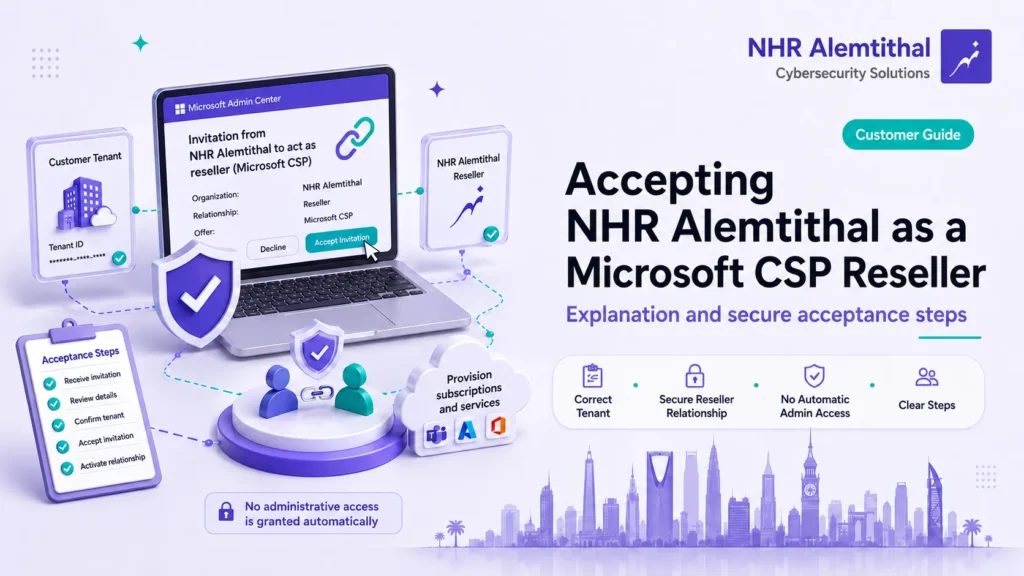
When you purchase Microsoft 365 or another Microsoft cloud subscription through NHR Alemtithal, you may receive an official Microsoft CSP reseller invitation asking you to establish a reseller relationship between your organization’s Microsoft tenant and NHR.
This is not a marketing opt-in, and it is not a request for your password or multi-factor authentication (MFA) code. It is a commercial authorization in Microsoft 365 that enables NHR to supply the subscriptions you ordered to the correct tenant and handle the commercial aspects of the subscription, including the license quantity, renewal, and changes you authorize.
Important
Accepting the Microsoft CSP reseller invitation establishes a commercial subscription relationship. It does not automatically grant NHR Global Administrator access or access to your email, files, or passwords.
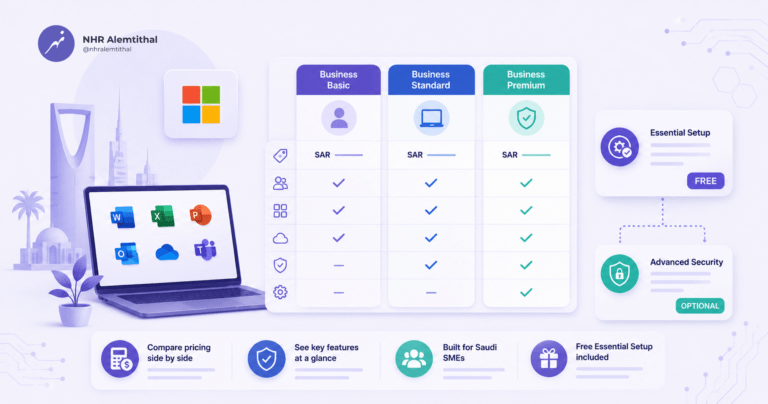
If you are still selecting a Microsoft 365 plan, you can review Microsoft 365 Business Basic, Microsoft 365 Business Standard, and Microsoft 365 Business Premium before completing your purchase.
What is a Microsoft CSP reseller relationship invitation?
The Microsoft Cloud Solution Provider (CSP) program allows customers to purchase Microsoft products and cloud services through qualified Microsoft partners and resellers.
When NHR sends you a reseller invitation, Microsoft asks an authorized administrator in your organization to confirm that NHR may act as the reseller for the subscriptions you requested.
After the invitation is accepted, the partner relationship becomes visible in your Microsoft 365 environment, and NHR can proceed with the agreed commercial order.
Why does BPS Arabia appear in the invitation?
NHR operates through Microsoft’s indirect CSP model.
In this model, BPS Arabia for Information Technology provides the cloud distribution channel, while NHR acts as the local reseller handling your subscription order and customer relationship.
Microsoft may therefore display both NHR Alemtithal and BPS Arabia within the CSP relationship or supply chain.
Seeing both NHR Alemtithal and BPS Arabia is expected
NHR operates as the local reseller within Microsoft’s indirect CSP model, while BPS Arabia provides the distribution channel.
Why must the invitation be accepted before the order is fulfilled?
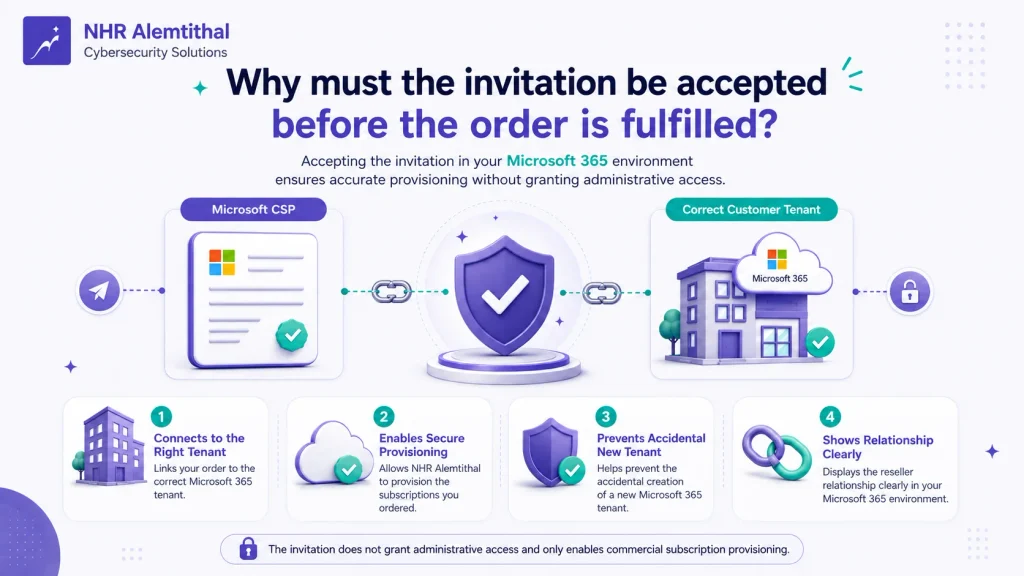
A CSP reseller relationship must be established before a partner can perform certain transactions on behalf of a customer. The customer’s Microsoft Customer Agreement must also be accepted and recorded when required for the transaction.
For an NHR order, the invitation serves four practical purposes:
- It connects your order to your organization’s correct Microsoft 365 tenant.
- It allows NHR to provision the subscriptions you ordered and process quantity, renewal, or upgrade actions that you authorize.
- It helps prevent a second Microsoft 365 tenant from being created accidentally when your organization already has an existing tenant.
- It makes the reseller relationship visible in your Microsoft 365 partner relationships.
What does accepting the invitation authorize?
Acceptance authorizes:
- A commercial reseller relationship under the Microsoft CSP program.
- Provisioning of the subscriptions included in your confirmed order through the CSP channel.
- Commercial subscription actions such as license quantity, renewal, or upgrade changes when requested by you and permitted by the subscription terms.
What does accepting the invitation not authorize?
Accepting the reseller invitation does not:
- Transfer ownership of your Microsoft 365 tenant to NHR or BPS Arabia.
- Transfer ownership of your domains, email, or data.
- Automatically grant NHR the Global Administrator role.
- Automatically allow NHR to read your email, files, or passwords.
- Automatically cancel your existing subscriptions.
- Automatically transfer an existing Microsoft or third-party-provider subscription.
- Automatically remove other partner relationships from your tenant.
- Create a charge or new purchase order by itself; fulfillment follows your confirmed purchase and its terms.
What about GDAP and administrative access?
The commercial reseller relationship is separate from technical administrative access.
If technical setup or managed administration is included in your service, NHR may request a separate Granular Delegated Admin Privileges (GDAP) relationship with defined Microsoft Entra roles and a defined duration.
GDAP is designed to provide only the administrative access required for the agreed service using a least-privilege approach.
If unexpected GDAP roles appear during the process, do not approve them until you have confirmed them with NHR.
For additional information about identity, MFA, Conditional Access, and Microsoft Entra capabilities, see our Microsoft Entra ID guide for Saudi organizations.
Before opening the invitation link
Before accepting the invitation:
- Use a work or school account in the Microsoft 365 tenant that will receive the subscriptions, not a personal Microsoft account.
- Use an account authorized to manage the partner relationship. Under Microsoft’s current guidance, the account must be at least a Billing Administrator; a Global Administrator can also perform the process.
- Confirm that you are signed in to the correct tenant, especially if you administer multiple Microsoft environments.
- If Microsoft asks you to complete the legal company name or billing address, complete and save the requested information before continuing.
- Verify that the acceptance page is hosted under the official
https://admin.microsoft.com/domain. - Use the personalized invitation link supplied through an NHR-approved communication channel rather than a reseller link found through a public web search.
Best practice
Complete the acceptance while signed in to the correct Microsoft 365 tenant using an authorized account with at least the Billing Administrator role.
How to accept the NHR Microsoft CSP reseller invitation
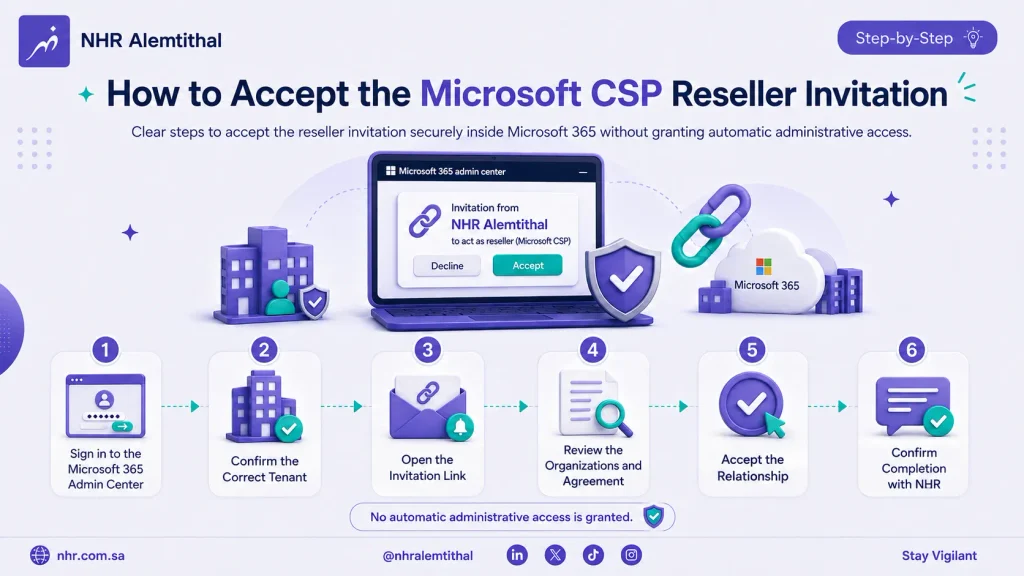
1. Sign in to the Microsoft 365 admin center
Open admin.microsoft.com and sign in using an authorized account in the tenant that will receive the subscriptions.
The account should hold at least the Billing Administrator role. A Global Administrator account can also be used.
2. Confirm the correct tenant
Check the organization name and primary domain displayed in the Microsoft 365 admin center.
If the wrong organization is active, switch organizations before opening the invitation.
This step is particularly important for administrators who manage multiple Microsoft 365 tenants.
3. Complete customer information if Microsoft requests it
If Microsoft prompts you to complete customer or billing information, provide the required organization details.
These may include:
- Legal business name.
- Address.
- City.
- Country.
- Postal code.
Save the changes and reopen the reseller invitation.
If Microsoft does not request this information, continue to the next step.
4. Open the personalized link sent by NHR
Use the reseller invitation link included in the communication associated with your NHR order.
Do not delete URL parameters or attempt to rebuild the link manually. The relationship URL is personalized to connect the correct customer tenant to the appropriate CSP relationship.
5. Review the organizations and agreement
On the acceptance page:
- Confirm that NHR Alemtithal appears in the expected partner context.
- BPS Arabia may also appear because NHR operates through the indirect CSP model.
- Open and review the Microsoft Customer Agreement if the page asks you to accept it.
If your Microsoft Customer Agreement has already been accepted and recorded, Microsoft may not require you to accept it again.
6. Accept and authorize the relationship
Security warning
Do not approve unexpected GDAP roles or administrative permissions. If permissions appear that were not agreed with NHR, stop and contact us before continuing.
Select the required acknowledgment and choose Accept & Authorize, or the equivalent wording displayed by Microsoft.
Review the page before completing the action.
7. Confirm completion with NHR
After Microsoft displays a successful acceptance message, tell NHR that the relationship has been accepted.
You may provide a screenshot of the success page if required.
Never send NHR:
- Your password.
- An MFA verification code.
- A Microsoft Authenticator approval code.
- Recovery codes.
What happens after acceptance?
Accept invitation → Verify relationship → Match order → Provision subscription
Acceptance establishes the reseller relationship first. Subscription provisioning takes place after NHR verifies the relationship and matches it to your confirmed order.
NHR first verifies that the reseller relationship is active and associated with the correct customer tenant and order.
We then process the order and provision the agreed Microsoft 365 plan and license quantity.
Depending on the subscription you purchased, you can review the plan details for Microsoft 365 Business Basic, Microsoft 365 Business Standard, or Microsoft 365 Business Premium.
After provisioning is complete, your administrator can assign licenses to users through the Microsoft 365 admin center.
Accepting the reseller invitation does not automatically assign licenses to users.
If security setup is included with your order, the next stage may include your agreed configuration work. Learn more about NHR’s Microsoft 365 Essential Security Foundation.
For broader deployment, migration, configuration, or administration requirements, see our Microsoft 365 Professional Services.
You can later review the reseller relationship in the Microsoft 365 admin center under:
Settings > Partner relationships
Troubleshooting common issues
Microsoft says I do not have sufficient permissions
Sign out and sign back in using an authorized account in the intended tenant.
Confirm that the account has at least the Billing Administrator role or is a Global Administrator. A normal user account or an administrator account for another system will not be sufficient.
Microsoft asks me to complete customer information
Complete the requested organization or billing information, save your changes, and reopen the invitation in the same signed-in session.
The invitation opens the wrong tenant
Check the active organization in your account menu.
If the same Microsoft account has access to several tenants, use a private or Incognito browser window and sign in only with the administrator account for the intended tenant.
The invitation does not load or redirects to the home page
Do not remove URL parameters or attempt to rebuild the invitation.
Try:
- An up-to-date browser.
- A private browsing window.
- Signing out of other Microsoft accounts.
If the problem continues, ask NHR to resend the invitation.
I accepted the invitation, but the subscription is not visible
Accepting the invitation establishes the reseller relationship first.
NHR must then validate the relationship, match it to your order, and complete subscription provisioning.
Send us your order number, primary tenant domain, or a screenshot confirming successful acceptance.
Do not send sign-in credentials or authentication codes.
Frequently asked questions
Does NHR receive Global Administrator access after I accept the invitation?
No. A commercial reseller relationship does not automatically grant NHR the Global Administrator role. Administrative access requires a separate relationship such as GDAP with defined roles and permissions, and the customer must explicitly approve it.
Does the reseller take ownership of my email, domain, or Microsoft 365 tenant?
No. Your Microsoft 365 tenant, domains, email, and data remain under your organization’s control. The reseller relationship connects the partner to your tenant for the commercial supply and management of the subscriptions you agreed to purchase.
Which administrator role is required to accept the reseller invitation?
Under Microsoft’s current guidance, the account should hold at least the Billing Administrator role. A Global Administrator can also complete the process. The account must belong to the correct Microsoft 365 tenant that will receive the subscriptions.
Can I accept the invitation if I already buy subscriptions from Microsoft or another provider?
Yes. A tenant can contain multiple partner relationships. Accepting NHR’s reseller invitation does not automatically transfer your existing subscriptions. Coordinate any planned transfer or replacement in advance to avoid overlapping subscription terms or duplicate billing.
Will NHR ask for my password or MFA code?
No. Your own authorized administrator should complete the invitation acceptance. Never disclose your password, MFA verification code, Microsoft Authenticator approval code, or recovery codes to NHR or anyone else.
Ready to complete your Microsoft 365 order?
Open the reseller invitation sent by NHR and follow the steps above.
After successful acceptance, send your order number and confirmation to:
NHR will verify the relationship and proceed with provisioning according to your confirmed order.
Official Microsoft references
Request a reseller relationship with a customer
Need help with Aramco CCC Certification?
Get a Free Expert Consultation.